






Pexels
Brand / Company
Top 10 Free Productivity Apps to Use in 2026
Looking for the best free productivity apps in 2026? This list breaks down 10 genuinely useful tools — for notes, tasks, and team projects — that won't hit you with a paywall. Each entry covers what the app does best, who it's for, and where the free tier ends. Scroll to vote, share your pick, or jump to the FAQ at the bottom. Be the 1st to vote for the one you actually use, and tell us what we missed in the comments.
2,056 views
Top10Grid rankings are decided by votes, not algorithms — use the buttons below to move this list.
Current Rankings
Vote items up or down — rankings update instantly
Get the weekly technology rundown
Only lists published since the last email. Join the early readers.
- Only Top 10s published in the last 7 days
- One email a week — and none at all in a week with nothing new
- Unsubscribe in one click
No spam. One email per week. Unsubscribe anytime.
How to Actually Choose One of These
The honest way to pick from this list is to start with how you already think, not with a feature checklist — every tool here is competent, so the differentiator is fit. If you default to writing linear to-do lists and want them to disappear once done, a capture-first tool like Todoist beats a workspace tool that makes you build a system before it's useful. If your problem is that information is scattered across five apps, an all-in-one workspace like Notion earns its learning curve. If you specifically distrust cloud lock-in — you want your notes to still open in twenty years, in a plain folder, with no company able to shut them off — that requirement rules out most of this list and points you straight at Obsidian or Logseq, which store everything as local Markdown files.
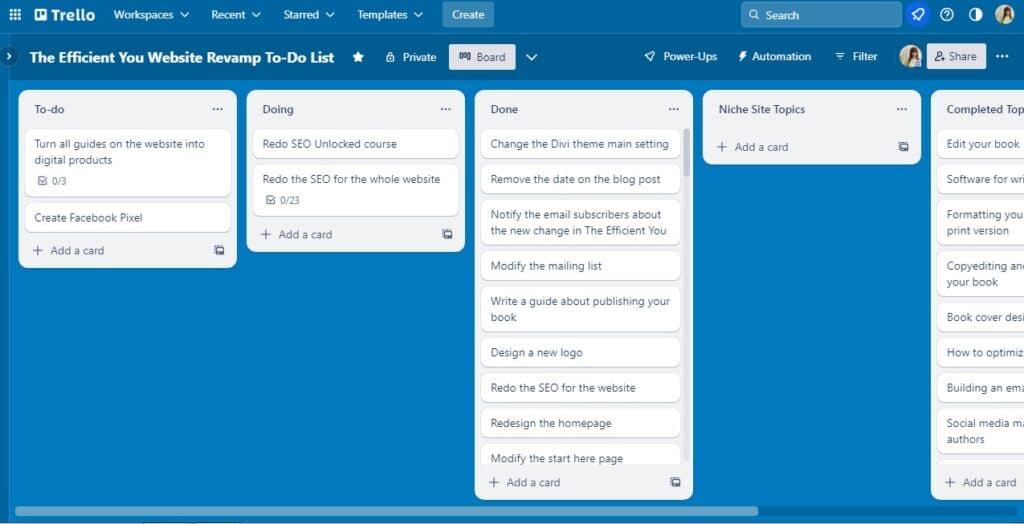
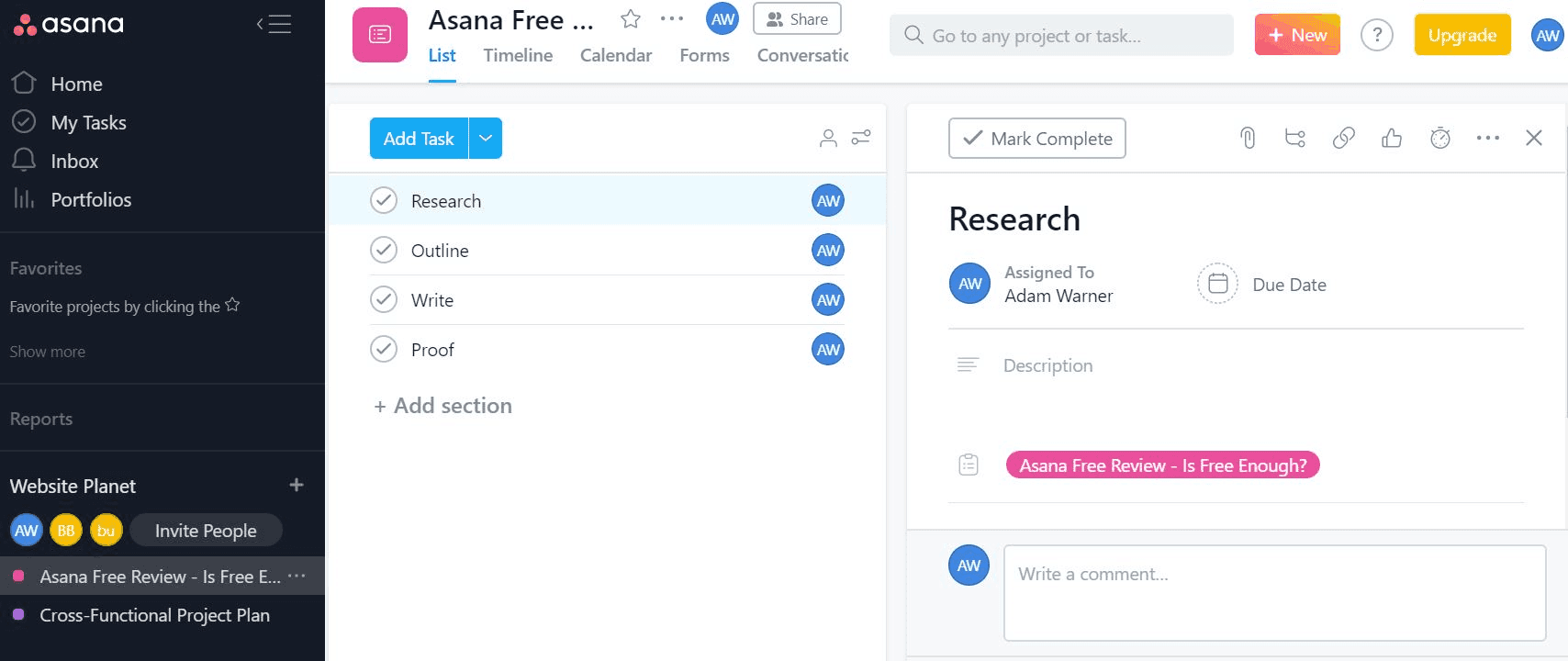
Team size matters more than most buying guides admit. A solo user and a 40-person team hit completely different walls in the same free tier. Trello and Todoist are genuinely pleasant for one person or a small team doing straightforward lists; they get uncomfortable fast once a project needs dependencies, timelines, or approvals, which is exactly where Asana and ClickUp are built to hold up — at the cost of a steeper setup.
The Real Cost of "Free"
None of these apps are free without limits — they're free until a specific, predictable wall. Todoist caps free accounts at five active projects. Trello's free plan works fine until a board needs Gantt-style timelines or cross-board dependencies, which it can't do at all. Asana reserves timeline view for paid plans, so the feature that makes it worth choosing over a simpler list app is the first thing you lose. Knowing where your specific workflow will hit that wall before you invest weeks of notes and tasks into a tool saves a painful migration later.
The two outliers are Obsidian and Logseq, whose free tier isn't really a tier at all — the core app has no artificial cap because your data is just files on your own disk. The trade-off shows up as friction instead of a paywall: less polish, a rougher first-hour setup, and no customer support team to call when a plugin breaks something.
See Also
Readers Also Ranked
More Lists Like This
Top 10 Hacker News — Top Stories — August 12, 2026
- #1The hardest working font in Manhattan (2025)
- #2LinkedIn CringeBot 3000
- #3Compression is prediction

Top 10 Ars Technica — Latest — August 4, 2026
- #1China is Tesla's cash cow, but for how much longer?
- #2The Pixel 11's "glow" feature is actually called HiLight—here's what it does
- #3Tom DeLay helped create TV ownership cap—he says Trump FCC has no authority to repeal it

Top 10 Ars Technica — Latest — August 14, 2026
- #1Ars Live recap: How can we stop publishers from killing their own games?
- #2Judge gives Google one week to fix "anticompetitive" app store download in Google Play
- #3R-rated director's cut of X-Files film restores Chris Carter's original horror vision

Top 10 Ars Technica — Latest — May 6, 2026
- #1OpenAI president forced to read his personal diary entries to jury
- #2Silicon Valley bets $200M on AI data centers floating in the ocean
- #3Character.AI sued over chatbot that claims to be a real doctor with a license
Frequently asked questions
What are the best free productivity apps to use in 2026?
The top free productivity apps for 2026 include tools like Notion, Trello, Todoist, Google Workspace, and Microsoft To Do, each offering robust features without requiring a paid subscription.
Are these free productivity apps truly free or do they have hidden costs?
These apps are free to use with core features, though they may offer optional premium upgrades; you can effectively use them without spending money for standard productivity needs.
Do these productivity apps work offline?
Many top free productivity apps like Google Docs, Dropbox Paper, and TickTick provide offline access, allowing you to edit and view files without an internet connection.
Which free productivity app is best for team collaboration in 2026?
Notion and Trello are excellent for team collaboration, offering real-time editing, task assignment, and shared workspaces at no cost for small teams.
Discussion
Have a take on this ranking?
Comments are how the argument actually happens here. Posting one needs a free account — it takes about a minute.
No comments yet.
The first comment sets the terms of the argument.
Would your top 10 look different?
Publish your own ranking of this topic. Your list gets its own page, and readers vote on it the same way you just voted on this one.
Build your own Top 10More Technology Rankings
More Brands Rankings
6
Top 10 Indonesian Temples in 2026
101 views · @admin

Top 10 Most Controversial Red Carpet Looks of All Time
101 views · @admin

Top 10 Most Overrated Luxury Accessories
101 views · @admin

Top 10 Shopping Malls in Dubai in 2026
101 views · @admin

Top 10 Side Hustles That Actually Pay More Than Minimum Wage
101 views · @admin

Top 10 Worst Corporate Rebrands
101 views · @admin
You might also want to rank…
 Top 10 Tech CEOs Who Became More Famous Than Their Companies
 Top 10 Ars Technica — Latest — April 7, 2026
 Top 10 Car Mods That Actually Improve Performance (Not Just Looks)
 10 Best Claude Skills, Plugins & MCP Servers for Developers (2026)
Explore more Technology rankings on Top10Grid
People Also Explore
Because you're viewing Technology
Top 10 Hacker News — Top Stories — September 18, 2026
13 views · 0 votes
Top 10 Ars Technica — Latest — September 2, 2026
13 views · 0 votes

Top 10 Ars Technica — Latest — September 15, 2026
13 views · 0 votes

Top 10 Ars Technica — Latest — September 19, 2026
13 views · 0 votes

Top 10 Ars Technica — Latest — September 7, 2026
14 views · 0 votes

Top 10 Ars Technica — Latest — September 9, 2026
14 views · 0 votes
You might also like

TECHNOLOGYSame type
Top 10 US SaaS Unicorns 2026
10 items

TECHNOLOGYSame type
Top 10 Most Powerful AI Companies 2026
10 items

TECHNOLOGYSame type
Top 10 AI Companies Dominating the World in 2026 — And What They're Really Building
10 items

TECHNOLOGYSame type
Top 10 European Synthetic Biology Companies to Watch in 2025
10 items

TECHNOLOGYSame type
Top 10 US Privacy Technology Companies
10 items
TECHNOLOGYSame type
Top 10 US Tech Giants by Market Capitalization 2026
10 items
More in Technology
See all
Top 10 Taiwan Tech Companies in 2026
10 items · 282 views

Top 10 European Robotics Companies 2026
10 items · 285 views

Top 10 Quantum Computing Platforms and Applications Transforming Enterprise in 2026
10 items · 287 views

10 Best AI Companion Platforms in 2026 (Ranked by LLM, Privacy & UX)
10 items · 298 views